
ScanBow.
A printed bow that brings the occlusal plane and the facial midline into your intraoral scan. Under €1 to print, one to two minutes at the chair, any CAD software.
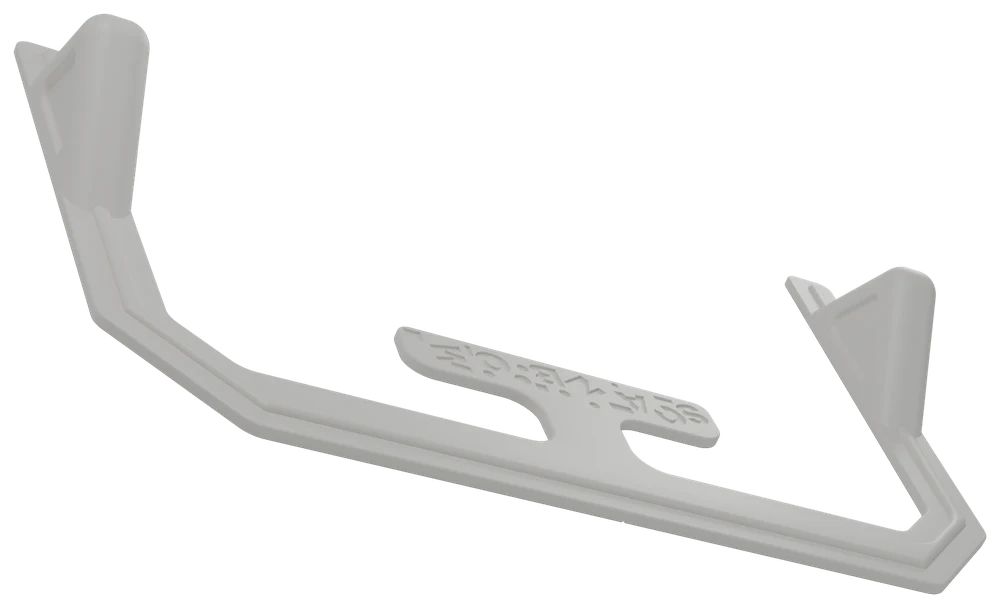
How it works at the chair
First print ScanBow.stl on any FDM, SLA or DLP printer. FDM is the easiest: PLA, 0.16 mm layers, 2 walls, 15 % infill, no supports. Then four steps:
-
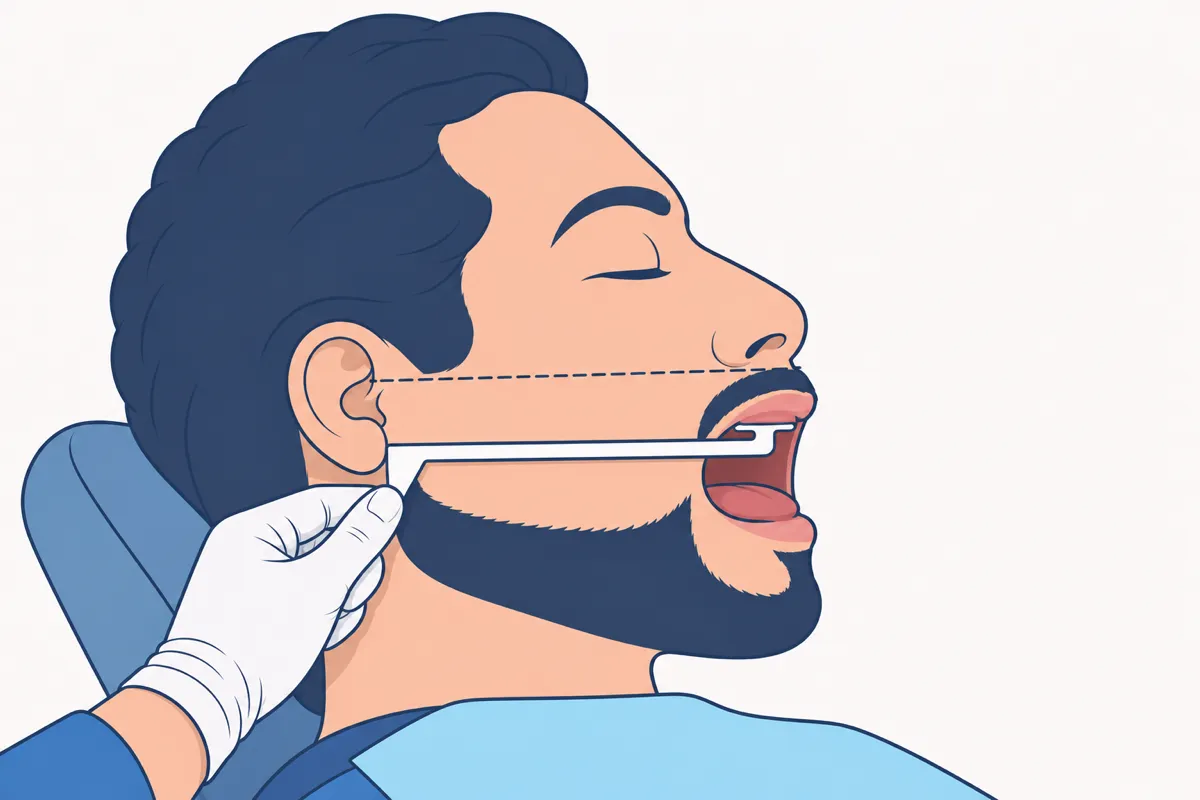
Align
Place the tab in the front of the mouth against the upper jaw, like an occlusal plane indicator; the arms run along the cheeks, the fins at their ends point down. Look from the side, from the front and from 12 o'clock, then line the arms up with Camper's plane and the centre with the facial midline.
-
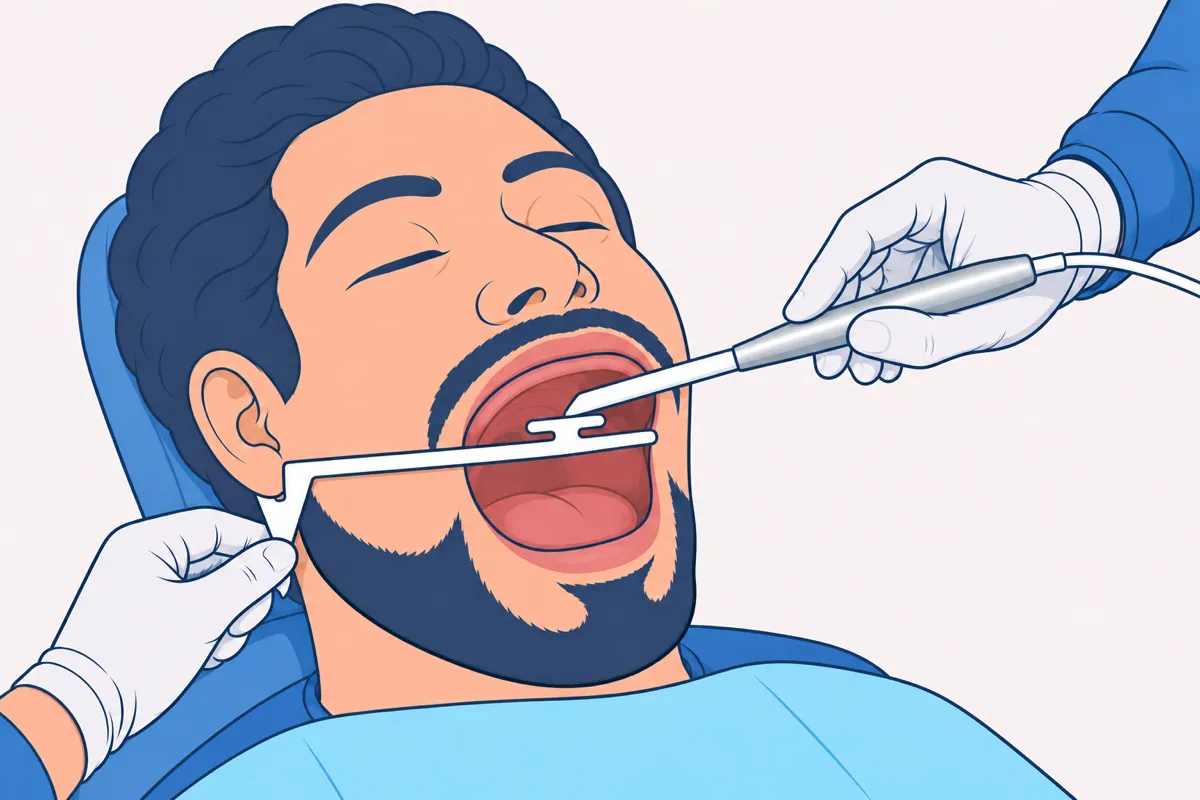
Scan
The patient or an assistant holds the bow still at the fins. Take one extra scan of its embossed scan surface together with the upper jaw. That takes one to two minutes.
-
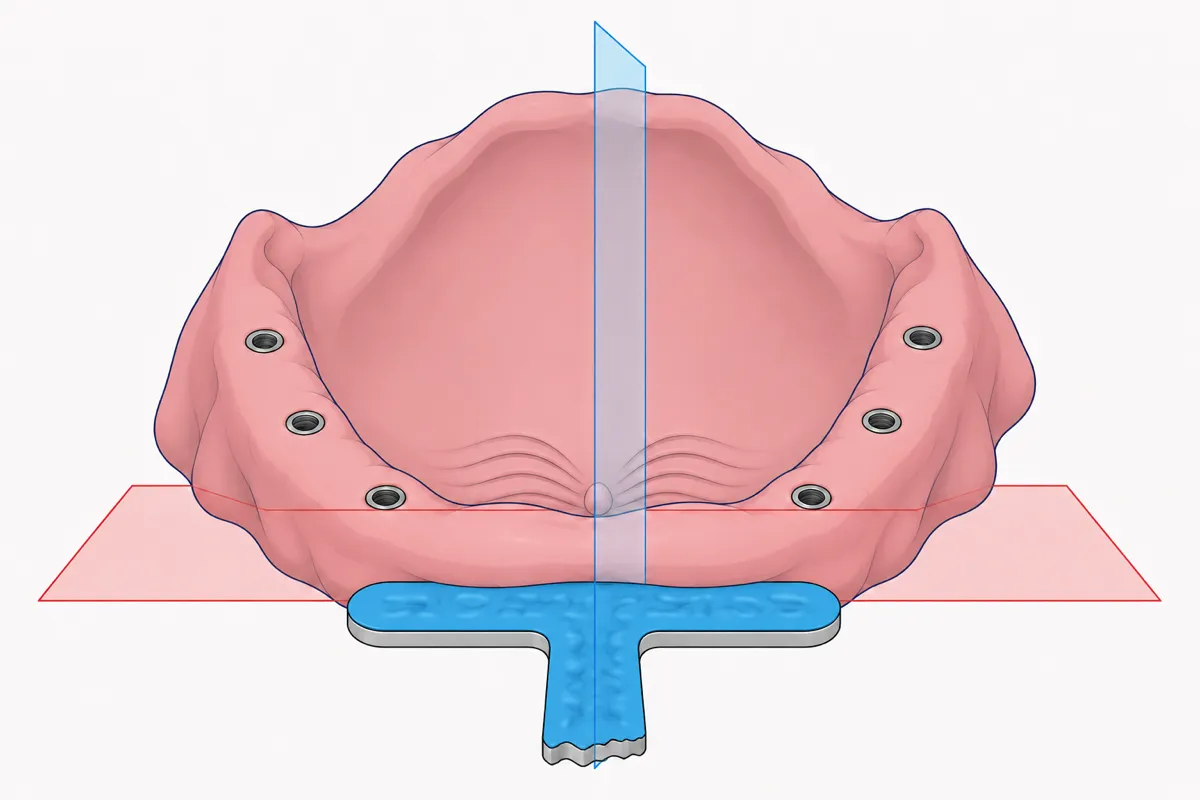
Match the twin
Import the digital twin into your CAD software and best-fit it onto the scanned surface, the same way you align a scan body. Occlusal plane and midline are now part of the patient scan, in any CAD software that opens STL.
-
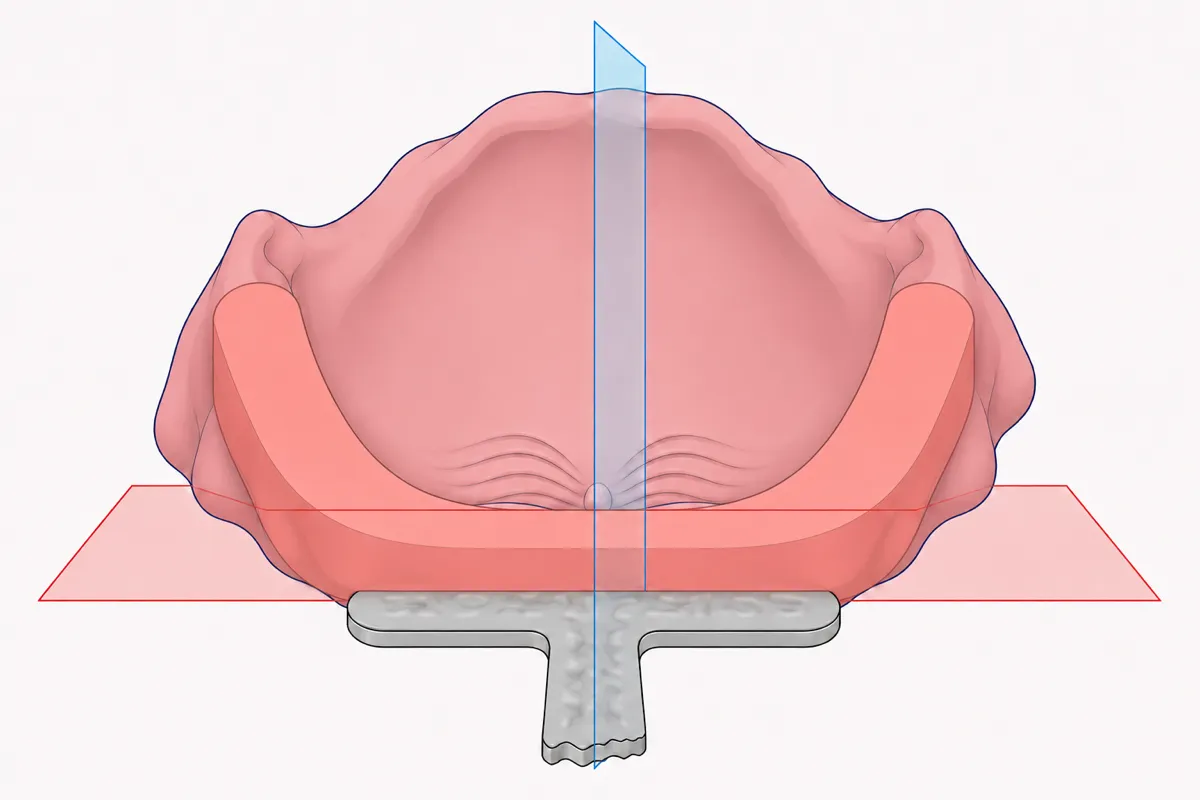
Plan
Design the bite template, set-up or mock-up along the two references, then print it. No analogue registration has to be scanned in afterwards.
The files
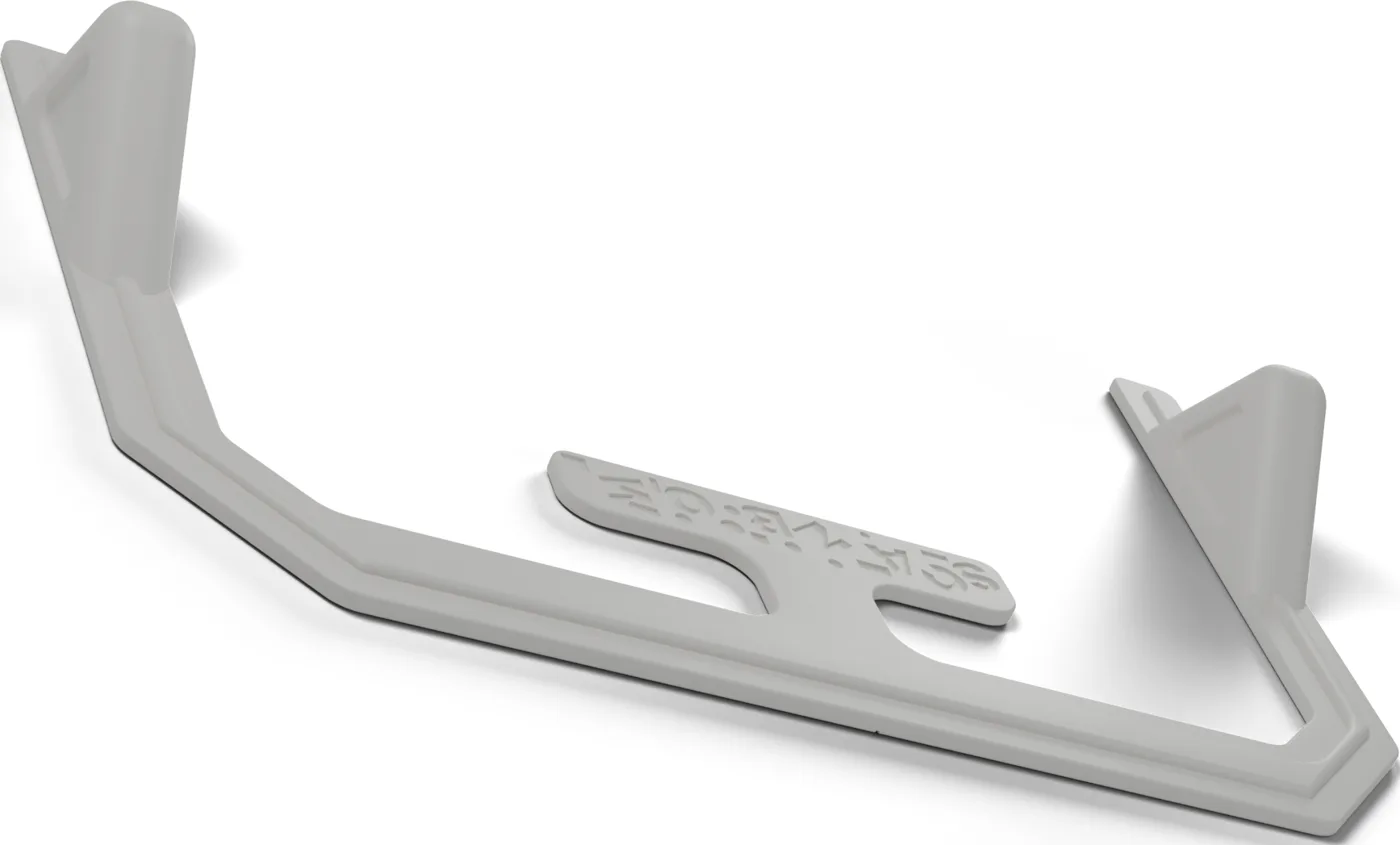
Print model
ScanBow.stl, plus a ready Bambu Studio project for the P2S.
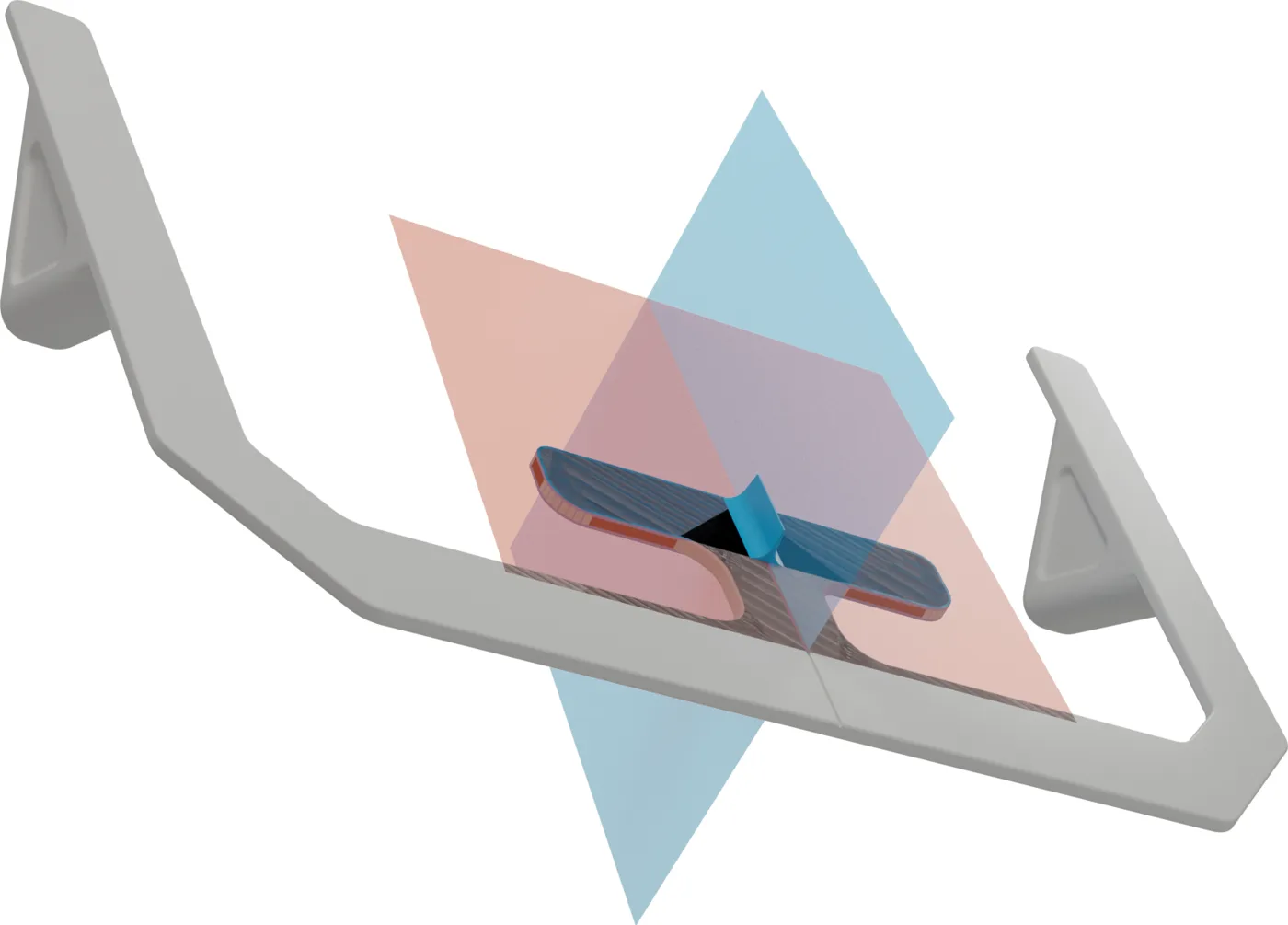
Digital twin
ScanBow_DigitalTwin.stl: scan surface, occlusal plane and midline plane in one file. Works in any CAD that imports STL.
ScanBow Tracker
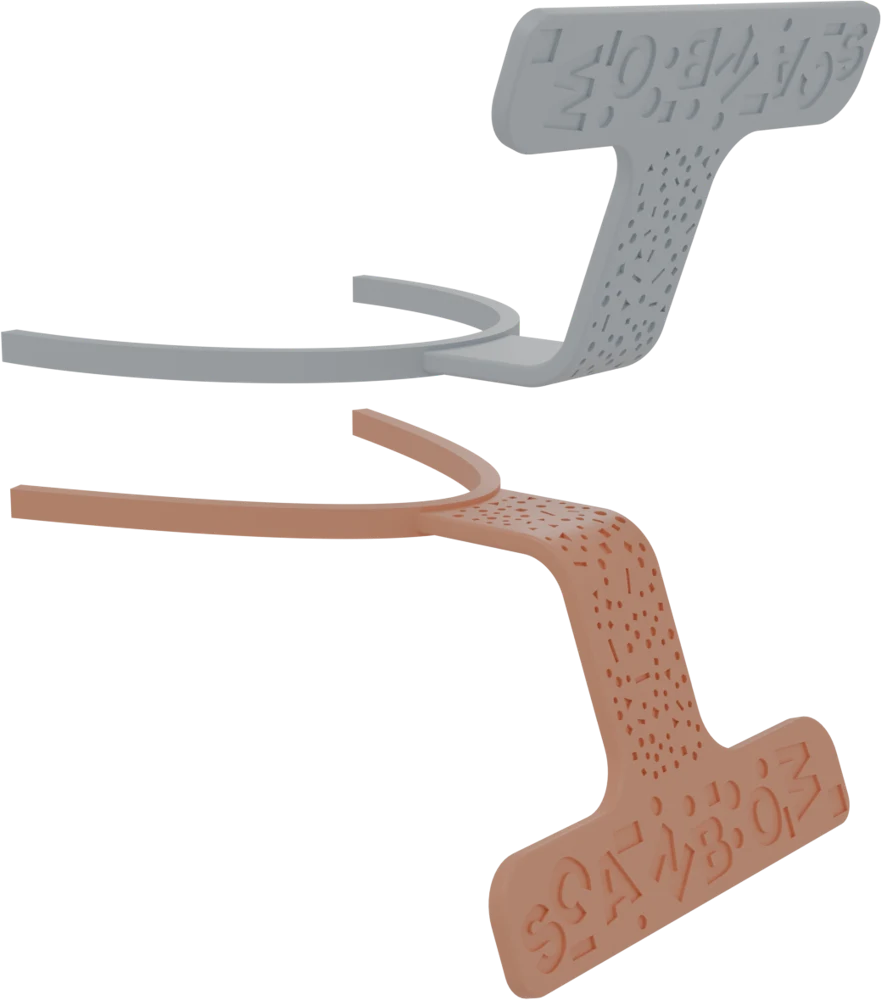
The same scan surface, moved out of the mouth on a small bracket. Bonded to the teeth, it links the intraoral scan to the face scan: both scanners capture the plate, so the two scans can be matched on it instead of on a few front teeth. One tracker for the upper jaw, one for the lower jaw. Each has a thin U-shaped strip you bend to the arch and a 70° connector with a random scan pattern from the arch to the plate.
-
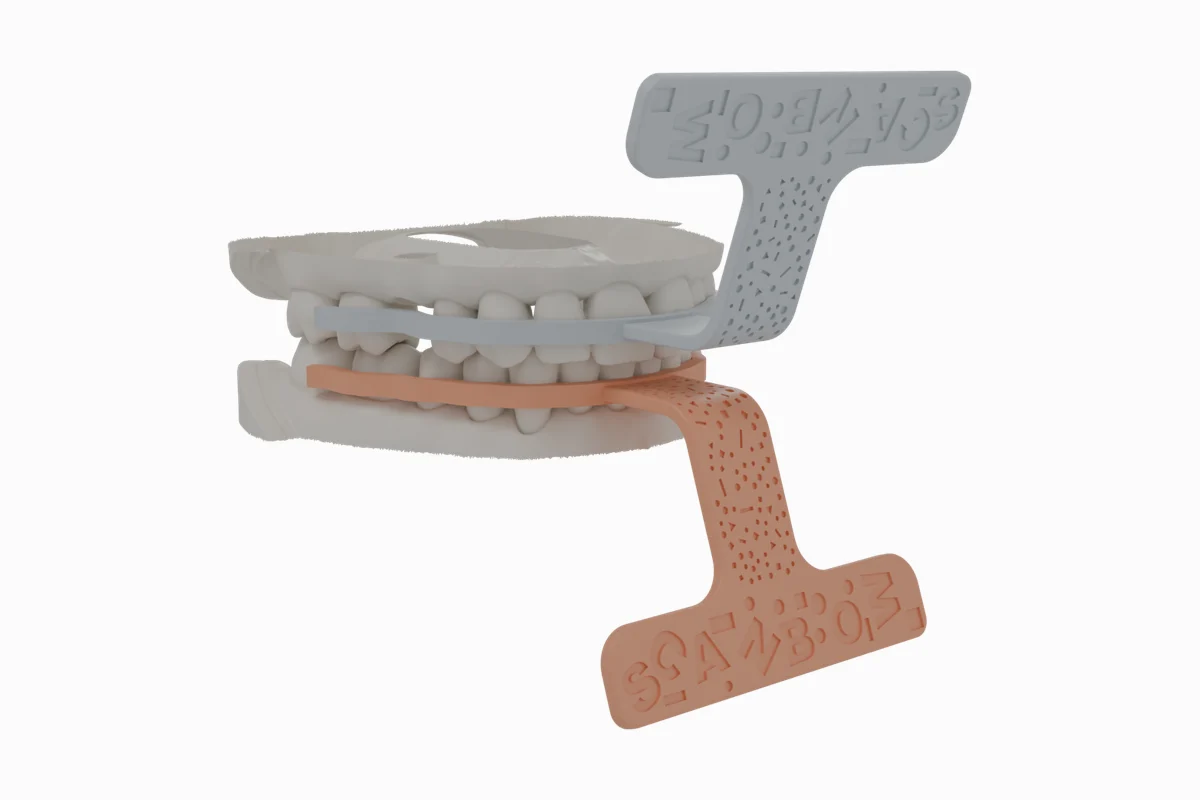
Bond
Bend the strip to the arch and bond it paraocclusally to the buccal surfaces, in the upper jaw, the lower jaw or both.
-
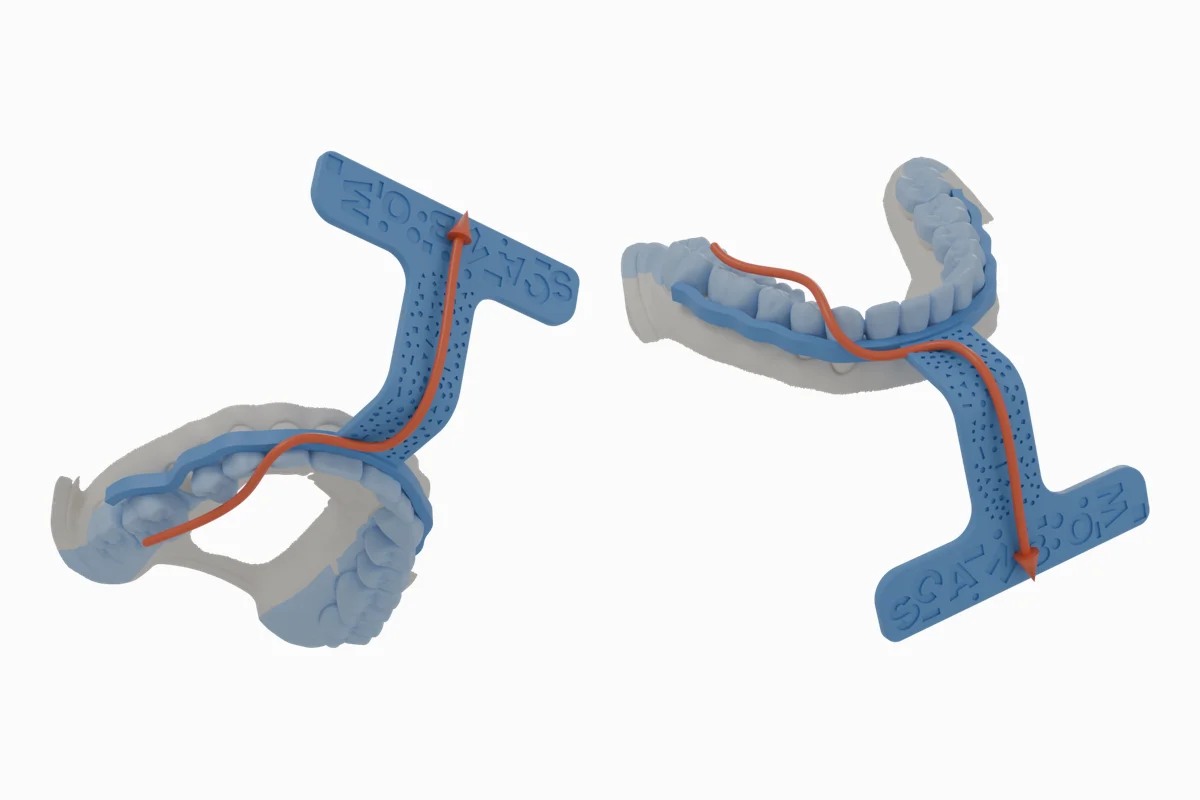
Intraoral scan
Take one extra scan from the occlusal surfaces over the strip and the connector onto the plate.
-
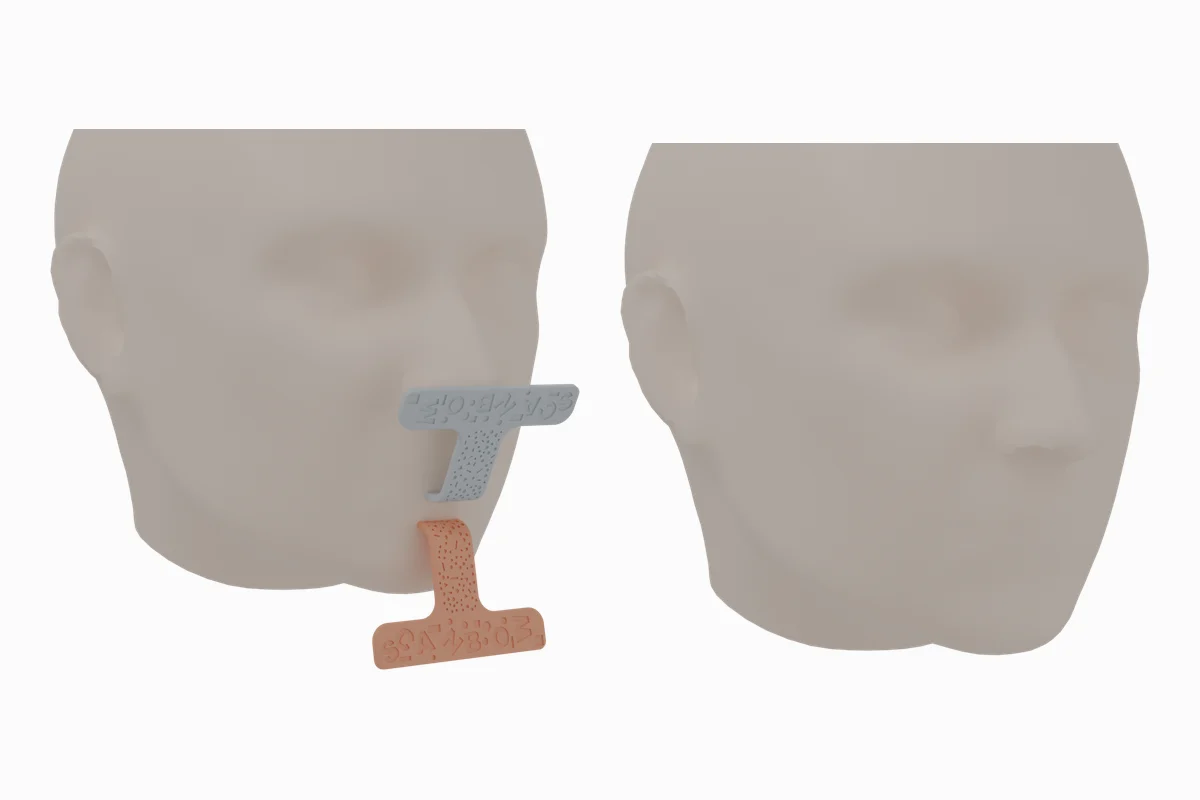
Face scans
Take one face scan with the tracker in place. Then remove it and take the face scan you want to design on, smiling for example.
-
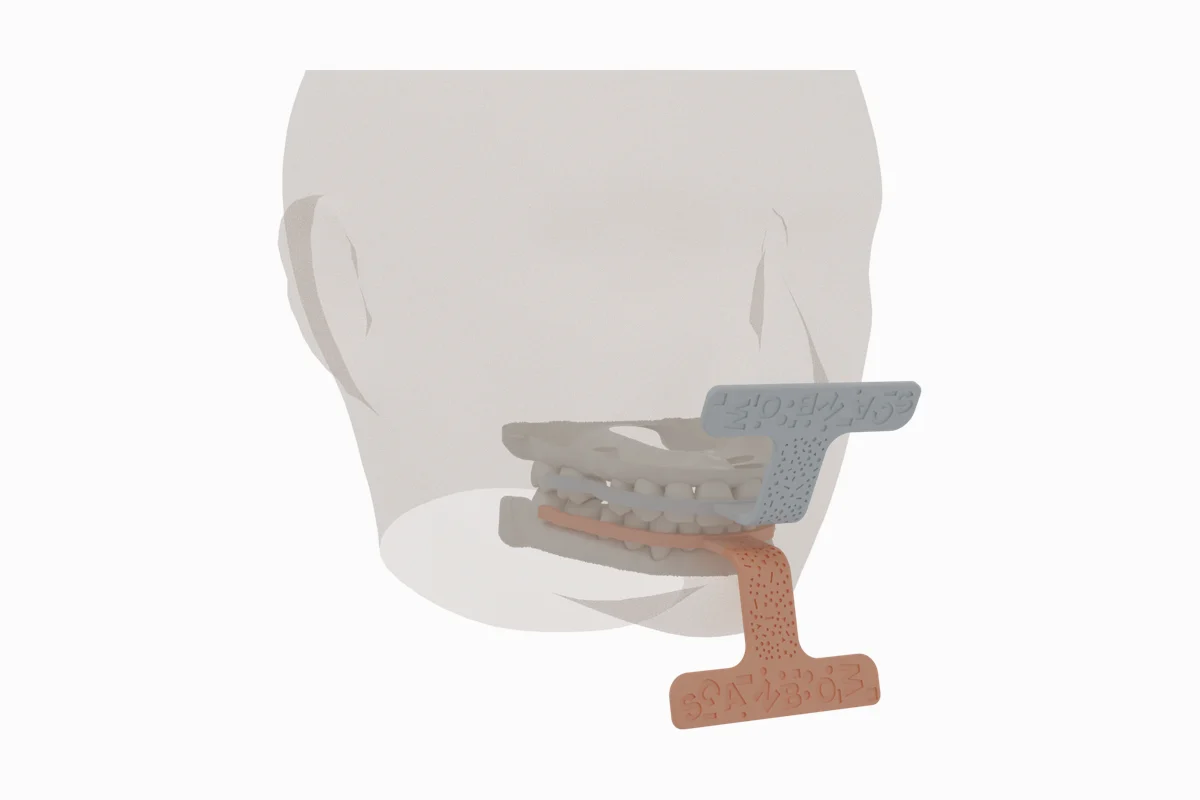
Match
Match the face scan with tracker to the intraoral scan on the plate, then the face scan without tracker to it on the face. The teeth now sit in the face scan for smile design.
Depending on the anatomy, the upper plate can come close to the tip of the nose.
ScanBow does not replace a hinge axis transfer or a functional analysis. It gives templates, mock-ups and try-ins a reproducible starting orientation; a clinical try-in is still a must. Research prototype by Jonas Rechlin, Charité Berlin, not a certified medical device. Licence CC BY-NC 4.0: free to print and share, no commercial use.